![www.gs1ie.orgimagesbannerslogo-3.png]](https://resources.gs1ie.org/hs-fs/hubfs/social-suggested-images/www.gs1ie.orgimagesbannerslogo-3.png?height=40&name=www.gs1ie.orgimagesbannerslogo-3.png)
Please follow the below steps to purchase a new licence as an existing member:
- Go to www.gs1ie.org and click Login to access your online account.
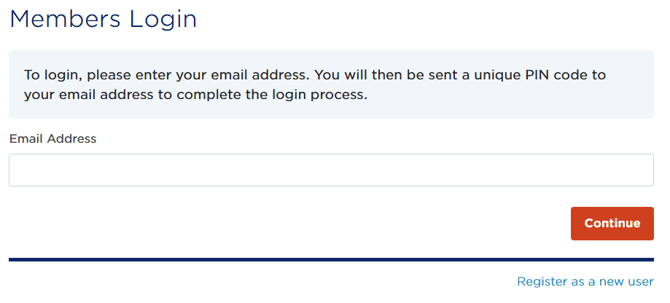
- After you enter your email address, you will receive an email with a login pin to finish the login process. If you don't receive the email, please check your spam/junk folder or with your IT department.
If you don't have a website login, please contact our team for assistance.
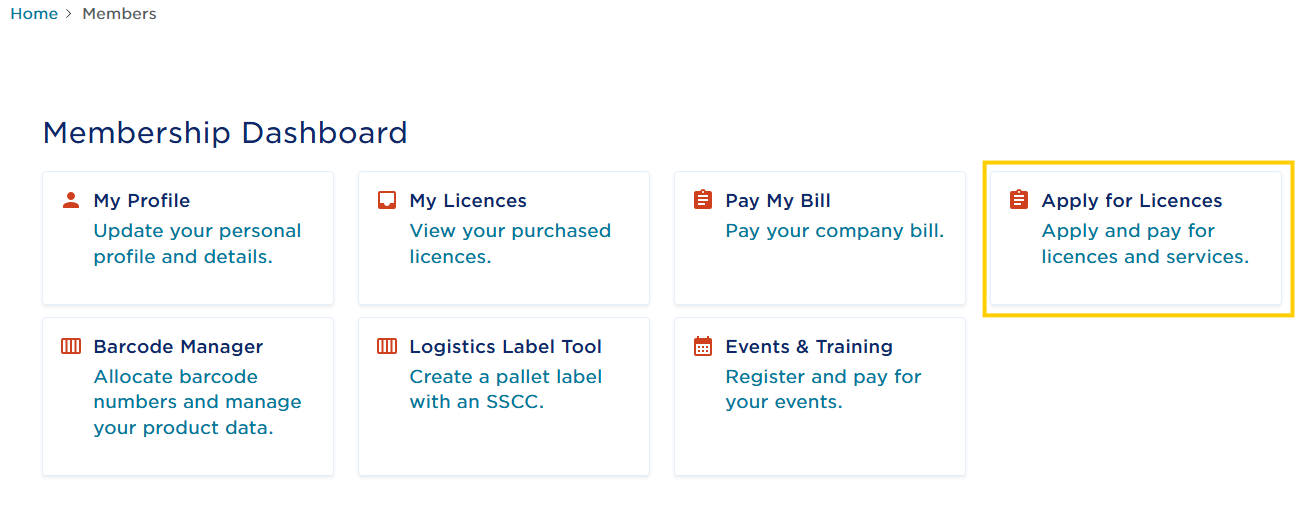
- Once logged in, click on Apply for Licences as shown below. If you don't see this screen when you login, you can find Apply for Licences by clicking on your name at the top of the page and then My Dashboard in the dropdown.
- On the new page, you will see the available licences. You can either scroll until you see the licence you want or you can use the dropdown under "Filter by Product Type" to only see specific products.
- Click "Add To Basket" on the product you want, click Next, and then proceed with your chosen payment option.
- After we receive the application and payment, our team will process the new licence within 1-2 business days and will email you the information.