![www.gs1ie.orgimagesbannerslogo-3.png]](https://resources.gs1ie.org/hs-fs/hubfs/social-suggested-images/www.gs1ie.orgimagesbannerslogo-3.png?height=40&name=www.gs1ie.orgimagesbannerslogo-3.png)
There’s no single fixed size for a QR code powered by GS1. The more data encoded — such as a longer URL or additional attributes — the larger the QR code needs to be to remain easy to print and scan.
Tip: If you use only upper case letters in your QR code, it reduces the amount of data which needs to be encoded. This will allow you to reduce the size of the symbol.
For QR codes scanned at retail point of sale, GS1 standards define an X‑dimension (the size of the smallest module or single square) ranging from 0.396 mm to 0.990 mm.
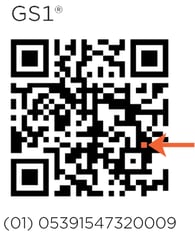
The optimal size of your modules and QR code, will depend on:
- Available space on pack
- Print quality and resolution
- The scanning environment
Symbols that are too small may be difficult to print at high quality and they may have trouble being read by a scanner. Similarly, symbols that are too large can be difficult to scan up close and may also be difficult to print at a high quality or resolution.
To calculate the size of your QR code:
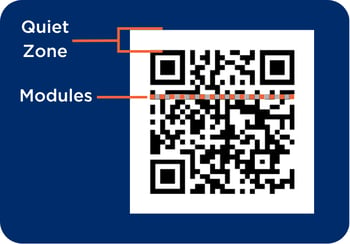
- Count the number of modules you have from left to right.
- There are 29 modules in our sample QR code.
- Add 8 additional modules to the number you counted as 4 modules of blank space is required on all sides of the QR code for the Quiet Zone.
- Adding 8 modules to the 29 in our sample QR code gives us a total of 37 modules.
- Multiply the number of modules by your chosen X-dimension from the range of 0.396 mm to 0.990 mm.
- Minimum size of our sample QR Code - (29+8)*0.396 = 14.652mm
- Maximum size of our sample QR code - (29+8)*0.990 = 36.63mm